
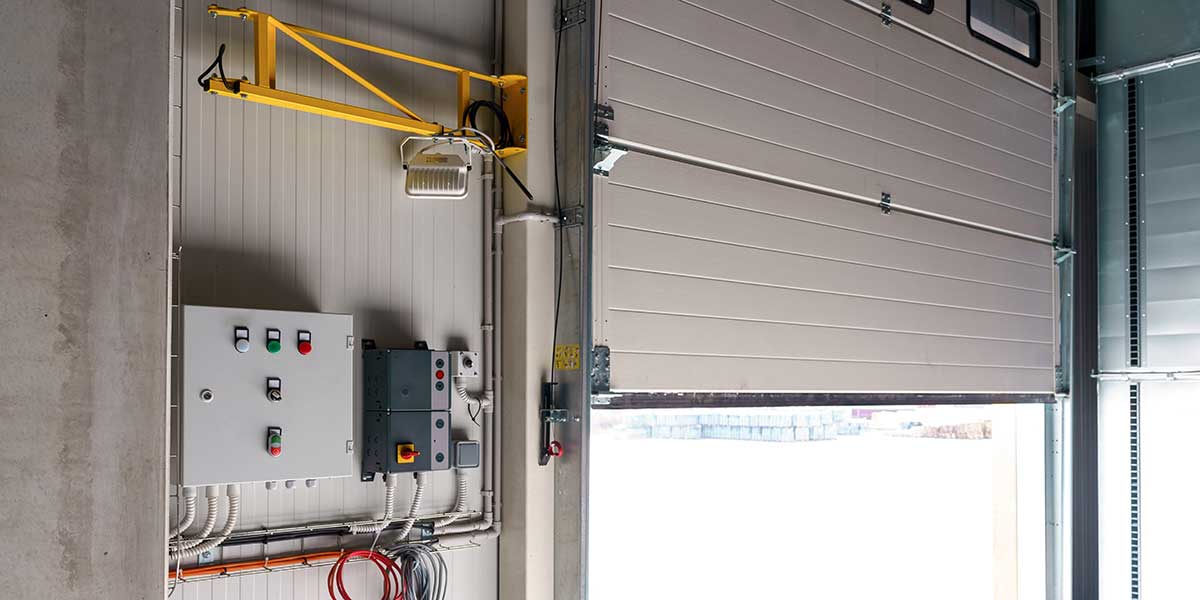
It is 7:05 on a weekday morning, your first employees are arriving, and the automatic entrance stays shut. Or the opposite happens: the sliding panels remain open, conditioned air pours outside, and everyone entering your building has to walk around a doorway that no longer behaves predictably.
If you have an automatic door not opening or closing, start with the power, operating mode, visible obstructions, and a cautious walk-up test. Stop immediately if the door moves unpredictably, strikes anything, has loose glass or hardware, or fails to detect a person in its path.
We are Overhead Door Company of Jacksonville, a commercial door service company based in Jacksonville, Florida. This guide is about automatic pedestrian entrances at stores, offices, medical facilities, hotels, and other commercial buildings, not residential garage-door openers.
Quick Diagnosis: What the Symptom Usually Points To
| Symptom | Possible Cause | Safe for Staff to Check? |
| No lights, sound, or movement | Power loss, disconnect, breaker, or internal electrical fault | Check only normal user controls and obvious building power. Do not open the header. |
| Door opens only from one side | Blocked, dirty, damaged, or misaligned activation sensor | Visually inspect the sensor face. Do not adjust wiring or sensor aim. |
| Door starts to close on a person | Presence-detection or safety-system fault | **No. Take the door out of service and block access.** |
| Door stays open | Hold-open mode, active fire or access-control signal, obstruction, sensor activation, or mechanical fault | Check the labeled mode setting and clear loose items from the approach. |
| Door opens slowly, shudders, scrapes, or stops | Debris, binding, worn rollers or pivots, damaged track, operator trouble, or alignment issue | Visual check only. Arrange service. |
| Door works intermittently | Sensor contamination, loose connection, power quality issue, overheating component, or developing operator fault | Record when it happens. Electrical diagnosis is not DIY. |
| Breakaway panel is out of position | Panel was pushed open or hardware did not reset correctly | Keep people away and arrange service if it does not return normally. |
The table narrows the possibilities, but it does not prove which component failed. The applicable ANSI/BHMA standards address operating characteristics that include sensors, safety features, activation devices, and labeling.
> Safety First: Do not stand in the travel path of a door that has already hit someone or something. Do not remove the operator cover, bypass a sensor, force a panel, reset breakers repeatedly, or test exposed wiring. If you cannot keep the entrance safe, close the area and direct traffic to another accessible entrance while you request service.
1. The Door Has Lost Power
A complete lack of movement can start with lost building power, an off user control, or an after-hours mode change.
Look for normal indicator lights, confirm whether nearby equipment has power, and check the user-accessible mode switch without removing a cover. Follow a documented reset for that exact system only once.
Do not keep cycling a breaker that trips again. A repeated trip can point to an electrical fault, damaged wiring, or a failing component. Logic-board, high-voltage, and internal electrical work is not DIY because opening the header can expose energized parts and moving equipment, and an incorrect adjustment can defeat a safety function.
2. The Operating Mode Is Wrong
Commercial entrances may have automatic, locked, hold-open, one-way, or reduced-opening settings. A door may simply be following a mode selected for cleaning, deliveries, security, or closing time.
Compare the labeled setting with your building procedure and ask whether an authorized person changed it. Never guess at hidden switch positions or enter an installer menu.
If the selector will not respond or the door changes modes by itself, request automatic pedestrian door repair.
3. An Activation Sensor Is Not Seeing Traffic
Full-powered automatic doors are commonly activated by overhead sensors or mats, while many low-energy doors use a push plate or other user control. If the door opens from inside but not outside, one activation device or its detection area deserves attention.
From outside the travel path, look for tape, dust, water, insects, or decorations blocking the sensor. Check for a curled or displaced floor mat. Remove only loose items you can reach without touching door hardware.
Do not twist the sensor, change its aim, or alter sensitivity. A technician should diagnose damaged sensors, wiring, settings, and repeat failures.
Image Direction: Use a real, close exterior photo of a commercial sliding entrance. Add restrained labels pointing to the overhead activation sensor, moving panels, sidelite, threshold, and visible safety signage. Do not use a residential garage-door photo or a generic illustration.
4. A Presence Sensor or Holding Beam Is Keeping the Door Open
A door may stay open because a cart, display, mat, sign, foot traffic, or faulty sensing equipment keeps the detection area active.
Clear movable objects from the approach and doorway without stepping into an unpredictable door’s path. Observe from a safe position. If the entrance closes after the area is clear, relocate the object and monitor the door.
AAADM’s daily check guidance says a properly functioning door should remain open while a person is in the detection area and close after the person leaves and the time delay expires. If it tries to close while someone is motionless in the opening, or a swinging panel moves toward a person in its safety area, take it out of service and call for help.
5. The Panels, Track, Pivots, or Rollers Are Binding
A door that shudders, scrapes, moves unevenly, or reverses may be binding. Track debris, worn swing-door hardware, or impact damage can interfere with movement.
From a safe distance, look for crooked frames, changed gaps, rubbing marks, loose trim, damaged seals, or debris. Remove a loose scrap only when the door is secured and you do not have to touch its hardware.
Do not push, lift, or pry a powered panel into place. Lubricate only when the system instructions identify the product and location.
For a damaged entrance or recurring mechanical problem, schedule commercial automatic-door service. Planned maintenance and regular inspections help catch wear and changing door behavior before the entrance becomes an unplanned shutdown.
6. Access Control, Locks, or Another Building System Is Holding the Door
A lock, card reader, building schedule, fire-alarm interface, or security system may determine when the operator moves. A powered door with healthy sensors can therefore remain closed, unlocked, or held open.
Check for an active alarm, security schedule, card-reader message, or hold-open command. Note any recent alarm test, outage, access-control change, or contractor visit.
Do not jumper a contact, disconnect a lock, or bypass an alarm interface. Coordinate the door, access-control, and fire-alarm contractors when responsibility is unclear.
7. The Operator, Control, or Wiring Needs Professional Diagnosis
Intermittent stops, fault codes, unusual motor noise, a hot smell, or repeated breaker trips can point inside the header. Causes include worn drive parts, a failing operator, damaged cable, loose connection, or control fault.
This is the point to stop troubleshooting. Logic-board and electrical work is not DIY. A technician needs to isolate power, inspect the entire door system, identify the actual failed part, restore settings, and verify operation after the repair.
AAADM recommends planned maintenance, daily owner safety checks, and annual inspections. Ask what safety testing and documentation a repair visit includes.
What Should Your Staff Check Each Day?
AAADM publishes door-type materials and advises premises owners to conduct a daily safety check. Match the check to the door labels and manufacturer instructions.
- Inspect the area. Keep the threshold, mat, approach, and door travel clear. Look for loose parts, cracked glass, damaged signage, or a displaced panel.
- Approach at a normal walking speed. Confirm that the door opens smoothly and stops without impact. Test both directions on a two-way entrance.
- Confirm presence detection. The door should remain open while a person is in the protected area. A failed safety sensor may let a swinging door move toward a person.
- Step clear and observe closing. After its delay, the door should close smoothly.
- Record and report defects. Note the time, mode, direction, fault code, and whether the issue repeats. Take an unsafe entrance out of service.
Do not perform this check alone if the door has already moved unpredictably. Use another entrance and request service instead.
When Should You Stop Using the Entrance?
Close the entrance to pedestrian traffic when the door closes on a person, opens into someone in the swing area, slams, breaks glass, exposes wiring, has loose overhead parts, derails, or moves without a clear command. Also stop using it when required safety signage is missing or you cannot keep the public away from hazardous movement.
Use visible barriers and redirect visitors to another accessible route. Automated doors provided on accessible routes must comply with applicable accessibility requirements and referenced ANSI/BHMA provisions.
For help planning the service call, use the company’s Jacksonville contact page. Same-day and emergency service are available, but arrival times depend on scheduling, location, parts, and site conditions.
Repair or Replace: What Changes the Decision?
Repair often makes sense when the entrance is sound, parts are available, and one serviceable component failed. Consider replacement when framing is damaged, essential parts are obsolete, failures repeat, or the complete system cannot be restored economically.
The proposal should separate the immediate fault from maintenance, address parts availability, and state what checks follow the work. Plan pedestrian routing during downtime.
If other loading-area or sectional doors at the property also need attention, keep that scope separate from the pedestrian entrance. The company’s commercial garage-door repair page covers those larger overhead-door systems.
What Does Commercial Automatic-Door Repair Cost?
There is no honest one-price answer without identifying the door and failure. Cleaning, adjustment, or a small component sits at the lower end. Damaged panels, obsolete controls, after-hours work, system coordination, or operator replacement makes a larger project.
Online national consumer ranges are often based on residential doors or simple manual-door hardware, so they are poor Jacksonville quotes for a commercial pedestrian system. Ask for a site-specific diagnosis and written scope instead. Useful questions include whether labor, travel, parts, programming, safety testing, and follow-up documentation are included.
A commercial preventive maintenance program can also help a facility budget planned visits separately from emergency failures. It does not eliminate every breakdown, but it creates a regular opportunity to document condition and address developing issues.
Frequently Asked Questions
Why Does My Automatic Sliding Door Opening but Not Closing?
It may still detect a person or object, be set to hold open, receive a signal from another building system, or have a sensor, control, or mechanical fault. Clear only obvious loose objects and check the labeled user mode. If it still stays open, arrange service rather than changing sensor settings.
Why Does the Door Work From One Side Only?
One activation sensor or control may be blocked, dirty, damaged, disconnected, or improperly set. Visually inspect the nonworking side and note whether an indicator changes when someone approaches. Do not open the header or reposition the sensor yourself.
Can Employees Reset a Commercial Automatic Door?
Employees may use normal user controls and a documented reset supplied for that exact system. They should not repeatedly cycle breakers, enter installer menus, remove covers, or alter wiring. If one authorized reset does not restore normal operation, stop and report the fault.
Is It Safe to Use the Door Manually?
Only if the door’s instructions specifically permit manual operation in its current condition and it moves normally. Do not force a powered panel, a locked entrance, or a breakaway panel that is out of position. Keep the entrance closed if movement is rough, unpredictable, or unsafe.
How Often Should an Automatic Door Be Inspected?
AAADM recommends inspection immediately after installation and annually thereafter, along with planned maintenance and daily owner safety checks. Your facility may need more frequent service based on traffic, environment, manufacturer instructions, or observed condition.
Who Should Repair the Sensor or Logic Board?
Use a qualified automatic pedestrian-door technician. Sensor setup affects the protected area, while a logic board controls door behavior. Electrical and logic-board repair is not DIY because mistakes can create shock, unexpected movement, and loss of safety functions.
How Much Will the Repair Cost in Jacksonville?
The price depends on diagnosis, door type, parts, labor, access, scheduling, and whether another building system is involved. National consumer figures are not a quote for your commercial entrance. Request a written scope after inspection so you can compare the immediate repair, optional maintenance, and any replacement alternative.
Get the Entrance Safely Back in Service
An automatic pedestrian door should not be treated as fixed merely because it moves again. The activation devices, presence detection, travel, closing behavior, mode controls, signage, and connected systems all need to work together.
Overhead Door Company of Jacksonville serves commercial properties in Jacksonville and surrounding Northeast Florida communities. Call (904) 268-1627 to describe the symptom and request service.
You do not need to diagnose the logic board or buy a part first. Share the door type, exact behavior, fault code, and whether the entrance is secured, and the team can help determine the next service step without promising an arrival time the schedule cannot support.